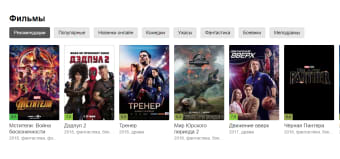
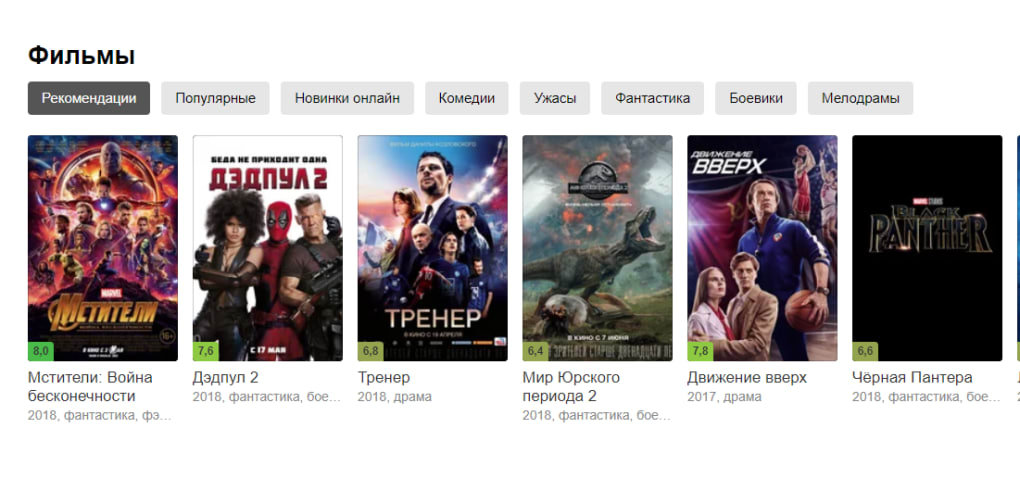
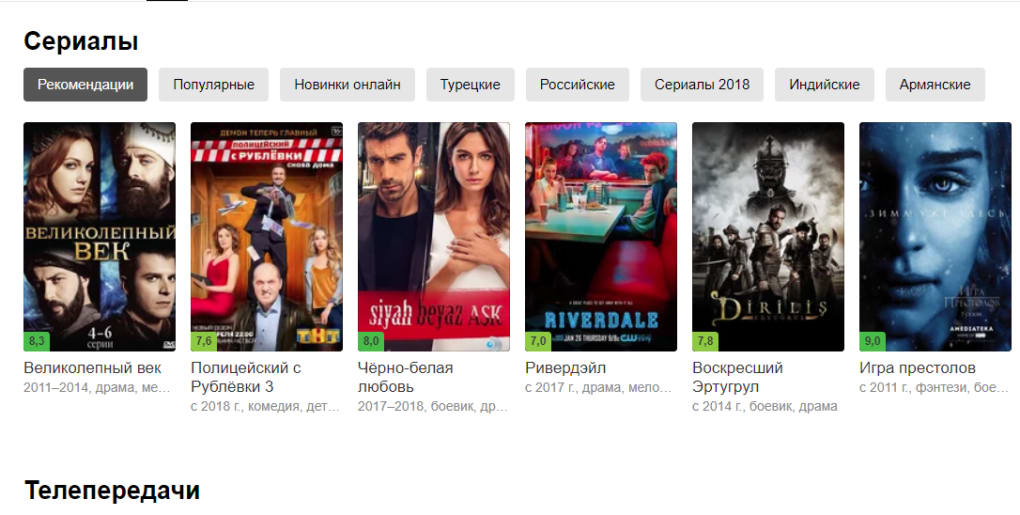
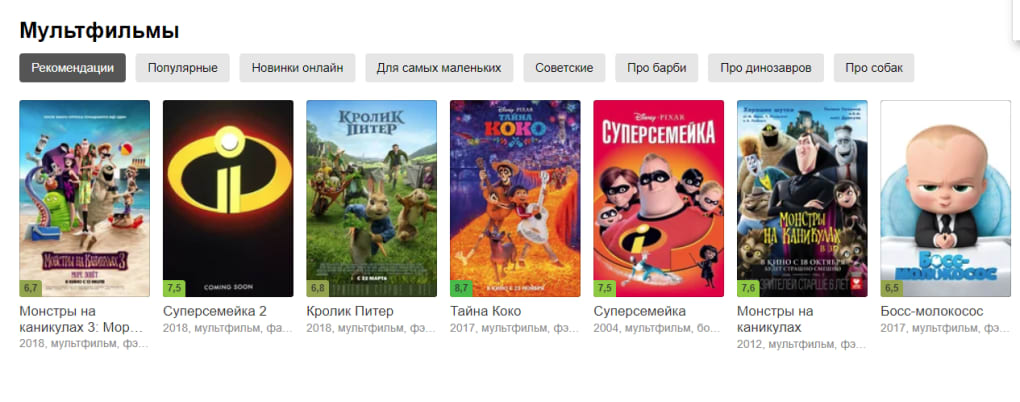

Download Yandex Video – free video streaming, watch, share
Yandex Video is a free online portal that lets you watch, share, and even download a massive library of videos without the need for a heavyweight desktop client. Originating from Russia’s leading tech ecosystem, Yandex Video offers a familiar YouTube‑like experience with its own twists: robust search filters, a quick registration process, and the ability to purchase full‑length movies for a modest fee. Whether you are looking for the latest viral clip, a classic TV series, or an indie documentary, Yandex Video’s catalog spans a wide variety of genres and languages.
The platform is accessible from any modern web browser, making it a convenient alternative for users who want to avoid the “cookie‑cutter” feel of mainstream services. Its user‑friendly interface encourages both casual viewers and power users to create playlists, follow favorite channels, and interact through comments and likes. The site also integrates seamlessly with popular Russian social networks such as VKontakte and Odnoklassniki, allowing you to log in with a single click if you already have an account there.
For those outside the Russian-speaking market, the interface offers English language options and a straightforward navigation system, ensuring that the learning curve remains shallow. In short, Yandex Video blends the best of free streaming with optional paid content, all wrapped in a secure, responsive web environment.
Key Features of Yandex Video
- Extensive Video Library: Millions of clips ranging from short clips, music videos, tutorials, to full‑length movies and TV series.
- Advanced Search Filters: Search by title, release date, category, popularity, or duration to quickly locate the exact content you want.
- Free Registration with Social Login: Sign up using a phone number, email, or link existing VKontakte, Facebook, or Odnoklassniki accounts.
- Pay‑Per‑View Downloads: Purchase and download entire movies or series episodes for offline viewing at a low price.
- Playlist & Favorites: Create custom playlists, bookmark favorite videos, and receive recommendations based on your watch history.
- Multi‑Device Compatibility: Optimized for desktops, tablets, and smartphones across Windows, macOS, Android, and iOS.
- Commenting & Rating System: Engage with creators and other viewers through comments, likes, and ratings.
- Secure Streaming: Uses HTTPS encryption to protect user data and ensures smooth playback with adaptive bitrate streaming.
- Localized Content: Offers subtitles and dubbing options for many international titles, making it accessible to a global audience.
- Ad‑Supported Free Tier: Enjoy unlimited free streaming with occasional non‑intrusive ads, or opt for an ad‑free experience by purchasing premium content.
Installation, Usage Guide & Compatibility
Web‑Based Access – No Download Required
Yandex Video is primarily a cloud‑based service, meaning you do not need to install any heavyweight software on your device. Simply open your preferred browser—Chrome, Firefox, Edge, Safari, or Opera—and navigate to video.yandex.com. The site automatically detects your operating system and delivers a responsive layout optimized for your screen size.
Step‑by‑Step Registration (Optional but Recommended)
- Click the “Sign Up” button located at the top‑right corner of the homepage.
- Enter your phone number or email address. A verification code will be sent to confirm your identity.
- Choose a strong password and optionally link your VKontakte, Facebook, or Odnoklassniki account for faster login.
- Accept the terms of service and privacy policy, then click “Create Account”.
- Once registered, you can personalize your profile, set language preferences, and start creating playlists.
How to Watch & Download Content
- Free Streaming: Search for a video, click the thumbnail, and the player will launch instantly. You can adjust video quality, enable subtitles, or switch to fullscreen mode.
- Paid Downloads: For premium movies, click the “Buy” button, complete the secure payment process (credit card, PayPal, or Yandex Money), and the video will be added to your “Purchased” library. From there you can download the file to your device for offline playback.
Supported Platforms
Because Yandex Video runs in a browser, it works on virtually any modern operating system:
- Windows 10, 11, and later
- macOS Catalina and newer
- Linux distributions with recent browsers (Ubuntu, Fedora, etc.)
- Android 7.0+ (via Chrome or the Yandex Browser app)
- iOS 13+ (Safari or Yandex Browser)
For mobile users who prefer a native experience, Yandex offers a lightweight companion app on both the Google Play Store and Apple App Store. The app mirrors the web functionality, providing push notifications for new releases, offline download capabilities, and a streamlined UI tailored for touch interaction.
Pros & Cons + Frequently Asked Questions
Pros
- Extensive free video catalog with regular updates.
- Simple, ad‑supported streaming that doesn’t require heavy plugins.
- Secure HTTPS connection and optional two‑factor authentication for accounts.
- Multi‑language support and subtitle options for international viewers.
- Pay‑per‑view model allows occasional movie purchases without a subscription.
Cons
- Interface primarily geared toward Russian speakers; English navigation can be limited.
- Some premium content may be restricted to certain regions due to licensing.
- Occasional ads on free videos may interrupt the viewing experience.
- Download speeds for purchased movies depend on the user’s internet connection.
- Limited community features compared to larger platforms like YouTube (e.g., fewer creator tools).
Frequently Asked Questions
Is Yandex Video completely free to use?
Yes, the majority of content on Yandex Video can be streamed for free with occasional ads. Premium movies and series can be purchased individually, but there is no mandatory subscription fee.
Do I need to create an account to watch videos?
No, you can watch most videos without an account. However, registering unlocks features such as playlists, comment posting, and the ability to purchase and download premium content.
Can I download videos to watch offline?
Only videos that you have purchased can be downloaded for offline viewing. Free streaming videos remain online‑only due to licensing restrictions.
Is the platform safe and secure?
Yandex Video uses HTTPS encryption for all data transfers, and the registration process can be enhanced with two‑factor authentication, making it a secure environment for both viewers and purchasers.
How does Yandex Video handle regional restrictions?
Some premium titles are geo‑locked due to licensing agreements. The platform will display a clear message if a video is unavailable in your country, and you may use a VPN to access content where legally permissible.
Conclusion – Is Yandex Video Worth Your Time?
Yandex Video stands out as a solid, free alternative to the more saturated video‑sharing giants. Its expansive catalog, flexible search tools, and the ability to purchase individual movies without a recurring subscription make it an attractive option for both casual viewers and occasional film enthusiasts. While the interface leans toward Russian‑language users and occasional ads can interrupt playback, the overall experience is smooth, secure, and accessible across all major operating systems. If you’re looking for a versatile streaming portal that offers both free content and affordable pay‑per‑view movies, Yandex Video is definitely worth a try. Click the button below to launch the site, sign up in seconds, and start exploring a world of videos that you won’t find on the usual platforms.



.png)



